Sign in from Carrotz#
How employees come straight from Carrotz to Fjellklokka, without a password of its own.
How to#
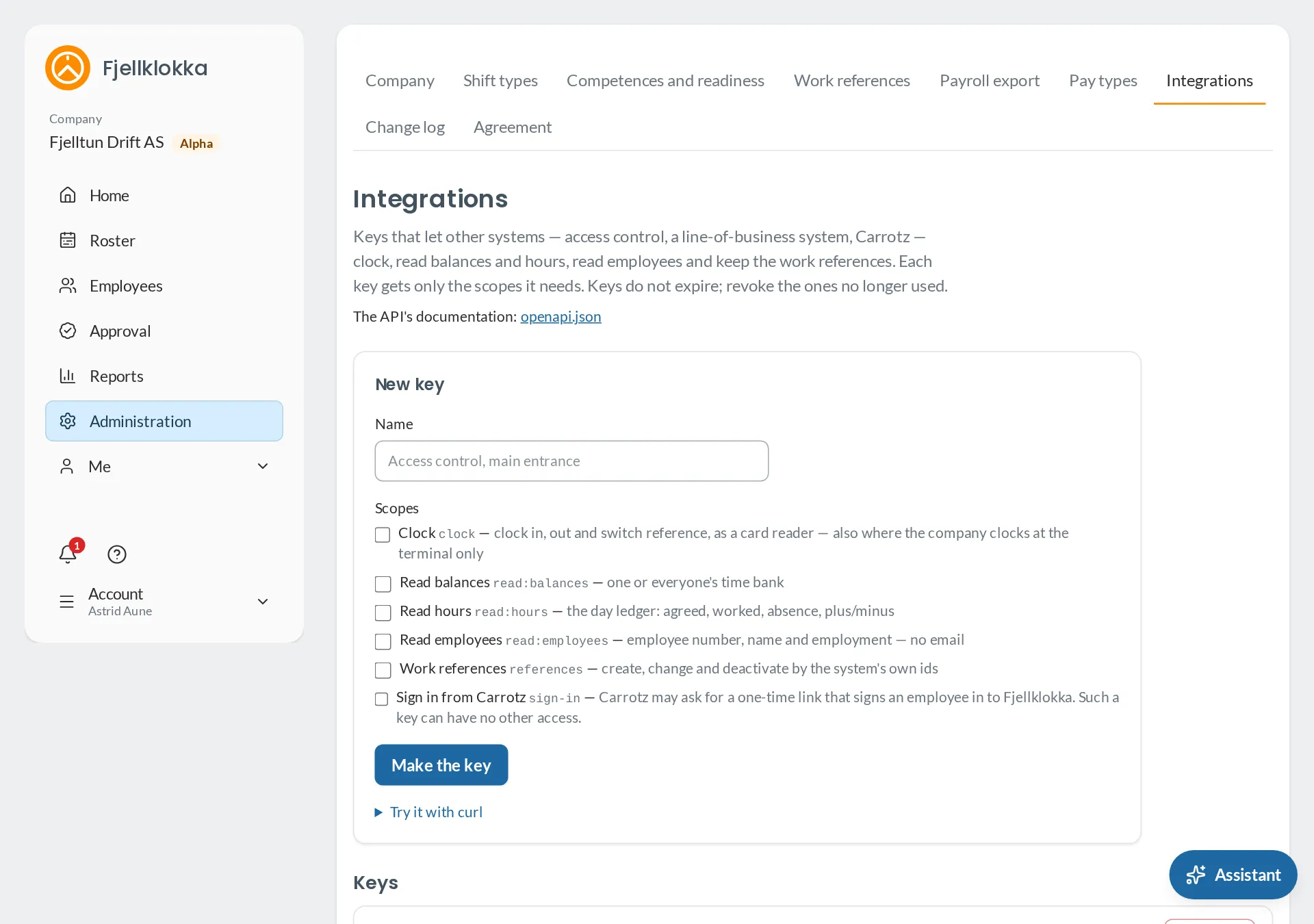
- Go to Administration → Integrations and make a key named “Carrotz” with only Sign in from Carrotz.
- Copy the key straight away. It is shown only once.
- Put it into Carrotz where the “Open Fjellklokka” button is set up — on the server, never in a page.
- Employees press the button in Carrotz and are signed in to Fjellklokka as themselves.
Good to know#
- Only people already in Fjellklokka, with the same email as in Carrotz, come in. Carrotz makes no one.
- Administrators still type their two-step code.
- Each sign-in from Carrotz is in the change log, with the key’s name. Revoke the key here and the button stops working.