Shift types#
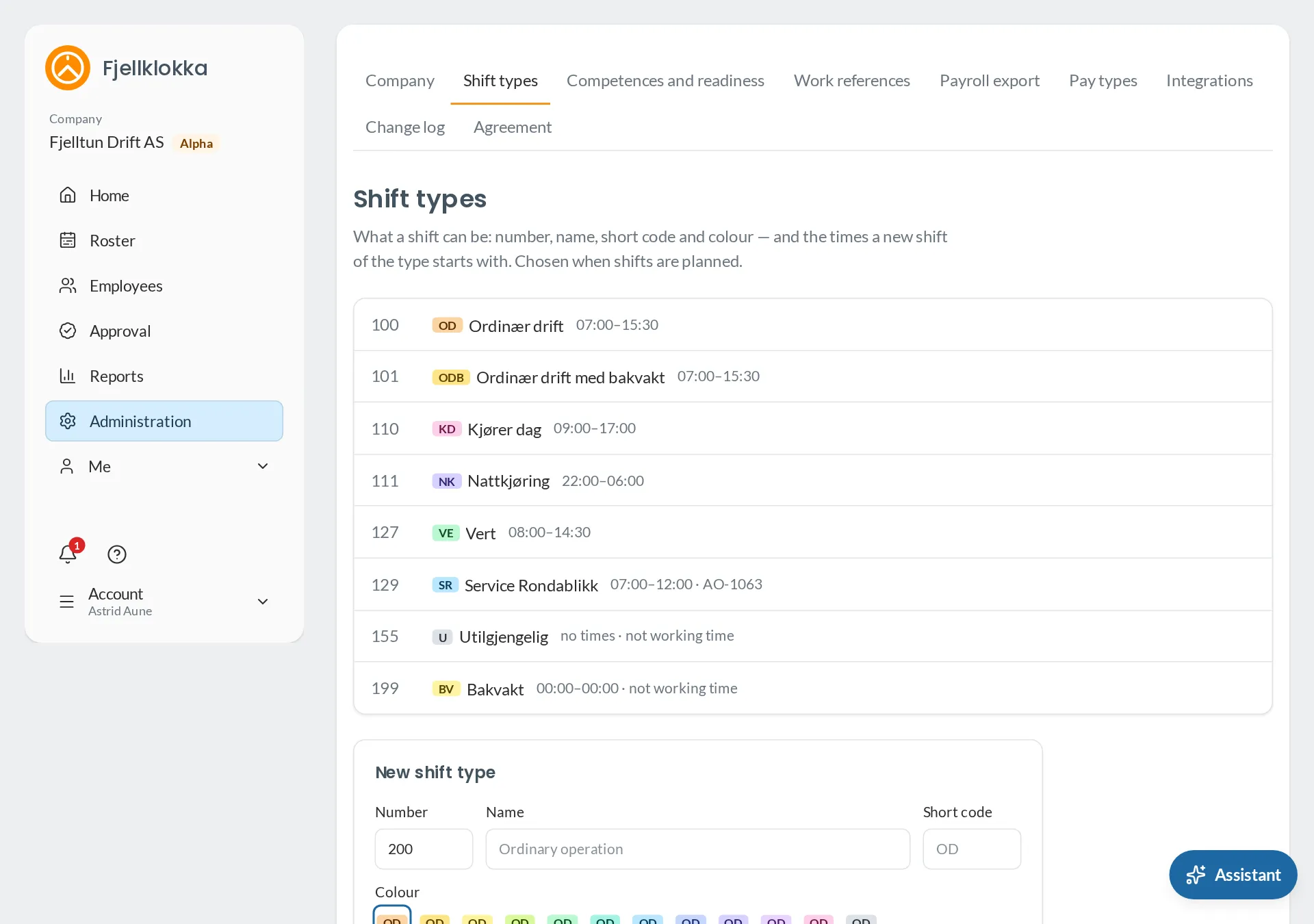
Make the company’s shift types: number, name, short code, colour and times.
How to#
- Go to Administration and Shift types.
- Fill in a number, a name and a short code of up to four characters, choose a colour, and the times a new shift of the type starts with. Tap Add.
- If the type is not work — on call, unavailable — untick Working time.
- If the hours on the type belong to a pay code of their own, choose a work reference.
Good to know#
- A type that is not working time shows on the roster, but counts no planned hours, is not checked against the Working Environment Act, and cannot be clocked in to.
- A type in use is retired instead of deleted: it is no longer offered, but the shifts that have it keep it.
- If you change a type, the shifts already planned keep their times.