Take an open shift#
How to see open shifts, and ask for or take one.
How to#
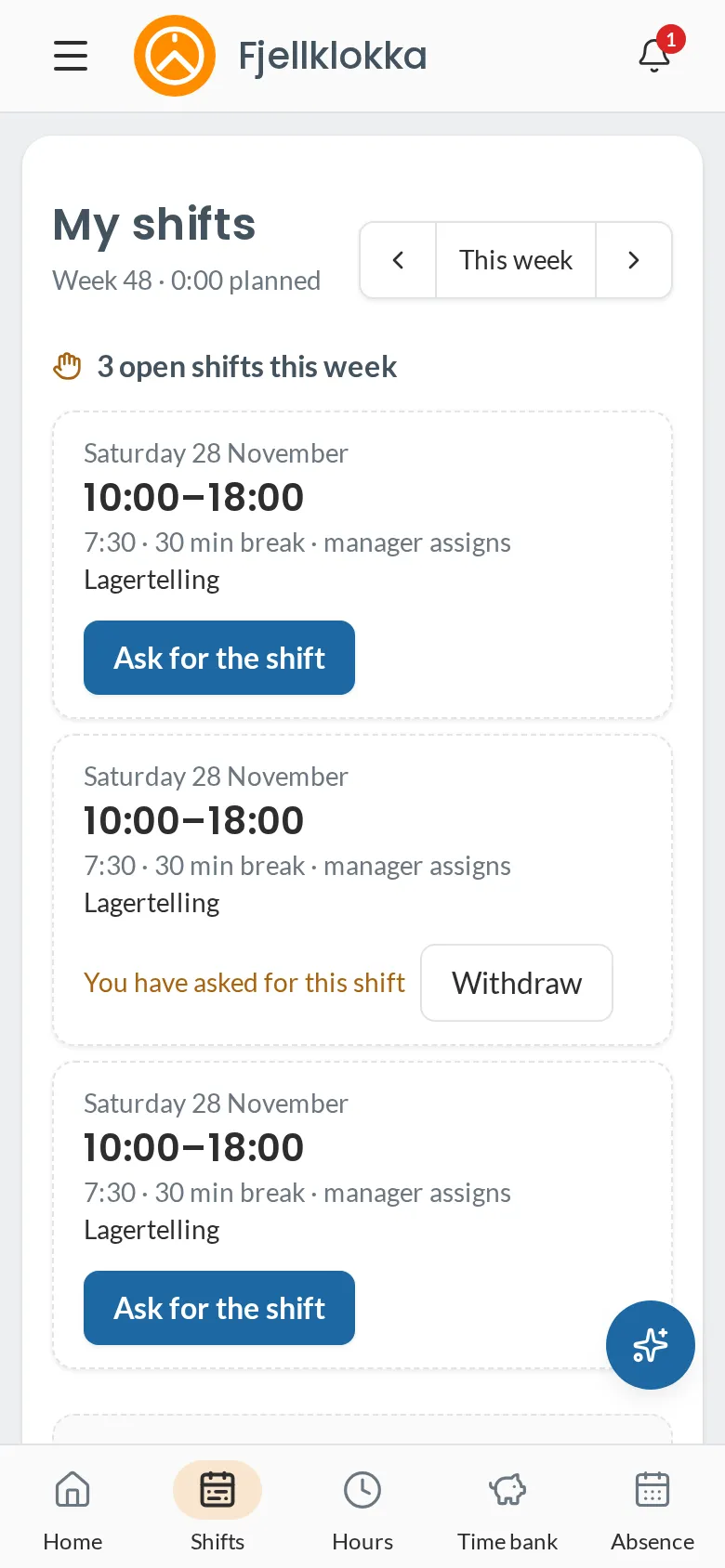
- Go to My shifts. Open shifts you can take are at the top of the week. Home shows how many there are.
- Tap Ask for the shift. A manager chooses who gets it, and you hear back in the app and by email.
- If the shift says First come, you can tap Take the shift. Then it is yours at once.
- If you change your mind before the manager answers, tap Withdraw.
Good to know#
- You only see shifts put out to you, and only those you can take: not one that clashes with another shift or falls on a day you are away.
- A shift that would give you too little rest or too long days under the Working Environment Act cannot be taken directly. You can ask for it, and the manager decides.
- On a salary, the hours on an extra shift go into the time bank as plus.