Make and publish the roster#
How to plan the week and send it to your employees.
How to#
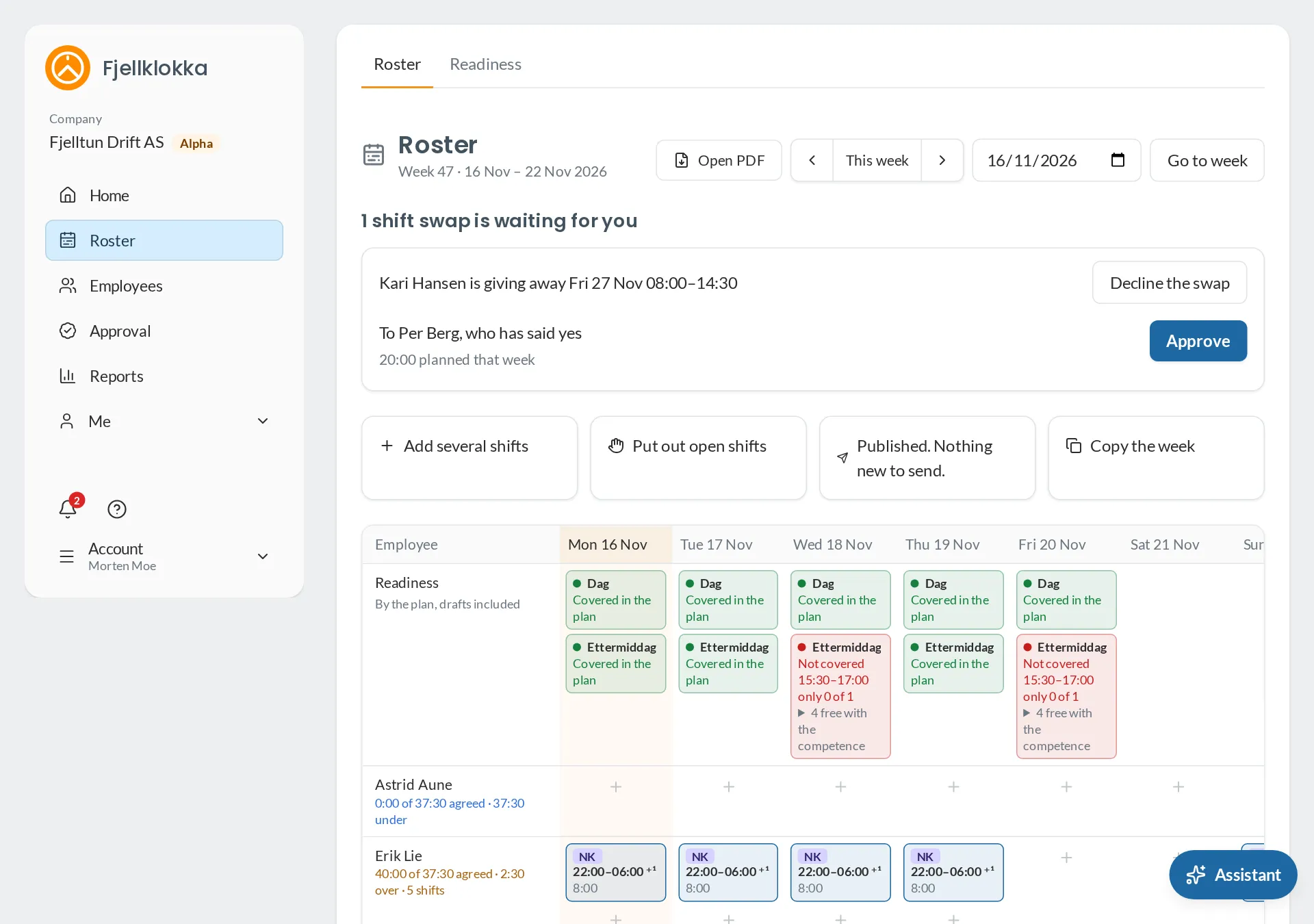
- Go to Roster and pick the week with the arrows.
- Add one shift in a cell, or use Add several shifts for the same times for several people and days. You see what will be made, and what is skipped, before anything is saved.
- Copy the week copies the shifts to the following weeks. Public holidays and absence are skipped.
- New shifts are drafts. Choose See who will be told and then Publish and send when the week is ready.
Good to know#
- Choose a Shift type when you add shifts, and its times are filled in. On-call and other types that are not working time show dashed and count no hours.
- The Working Environment Act says the plan must be known at least 14 days ahead. Fjellklokka warns you if you publish later.
- If you change or cancel a published shift, the employee is told the next time you publish the week.
- The assistant can do the same: «Lag vakter neste uke man–fre 7–15 for Kari og Ola».